Know what works before you post.
HypeRadar watches your draft the way a coach would — hook, pacing, visuals, sound — and tells you exactly what to change before it goes live.
3-day free trial with the annual plan.
From camera roll to confident post
The video is shot and cut. You’re deciding whether to post it or re-cut it. That’s the moment HypeRadar is built for.
-
Pick a draft
Choose a video from your library, up to 90 seconds, or pick one of the posts from your connected account.
-
AI watches all of it
It transcribes the audio and reads every scene — the first seconds, the pacing, the visuals, the sound, the ending.
-
Fix what matters first
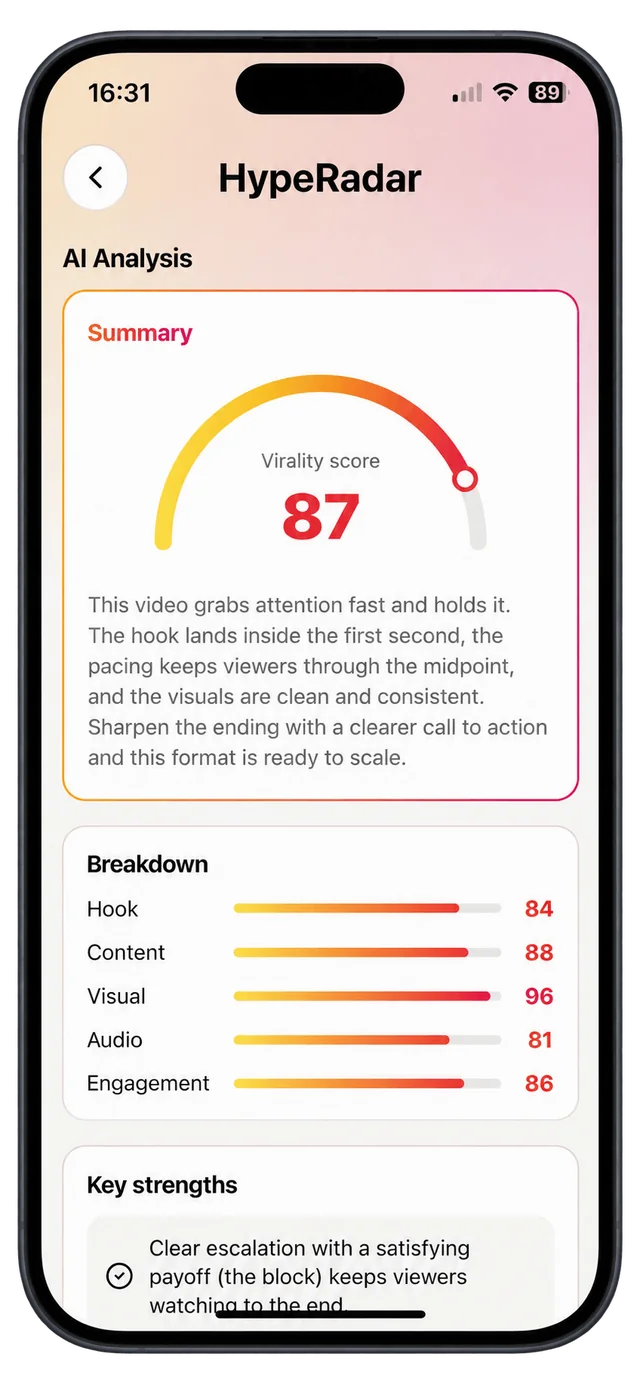
You get a 0–100 score, what’s already working, and a list of changes ranked by impact.
Five things every short video lives or dies on
Each draft is scored on the same five dimensions, so you can see which one is holding it back — and compare one cut against the next.
Scores are AI estimates to guide your edit, not a guarantee of views.
Hook
84Do the first seconds stop the scroll?
Content
88Story, value and structure from start to payoff.
Visual
96Framing, lighting, text placement and production quality.
Audio
81Voice clarity and how the music fits the cut.
Engagement
86Reasons to comment, share and watch again.
Ask your video anything
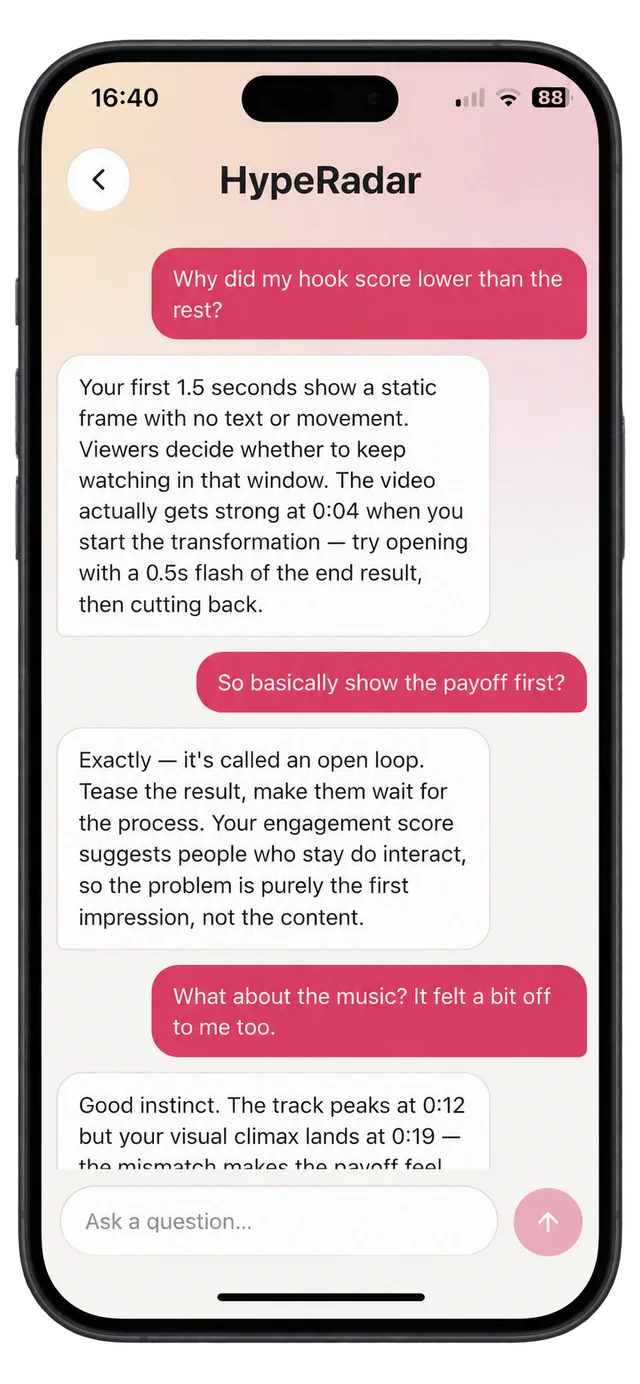
Every report comes with a chat that already knows the video. Ask why a score is low, what to try instead, or how to open the next one.
Why did my hook score lower than the rest?
So basically show the payoff first?
What about the music? It felt a bit off.
Connect your TikTok or Instagram
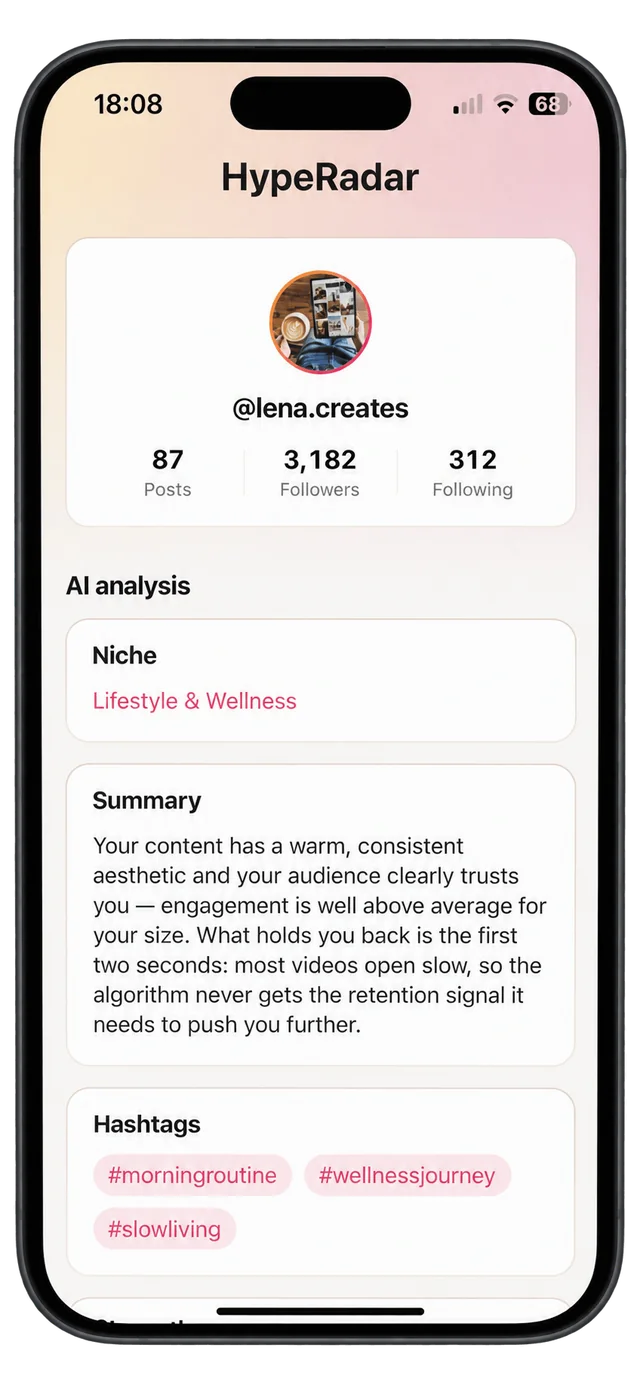
Add your public username — no password, no login to the platform. HypeRadar pulls in your posts and their stats so you can see the whole account at once.
- Your posts, with numbers. Views, likes, comments and shares for recent posts in one list.
- Analyze any post. Run the full five-part report on a video you’ve already published and learn why it did or didn’t travel.
- An account report. Your niche, what your content does well, what’s holding it back, and hashtags that fit.
- Earnings potential. Illustrative monthly ranges for paths like sponsorships, affiliate deals and coaching.
Only public accounts can be connected. Earnings figures are rough estimates based on typical creator ranges, not a promise of income.
How it’s priced
Monthly or annual
One subscription unlocks video analysis, the AI chat and your account report. Billed through the App Store; cancel anytime in your Apple ID settings.
3-day free trial
New subscribers can try the annual plan free for 3 days. Cancel at least 24 hours before the trial ends and you won’t be charged.
Analysis time, not video count
Your plan includes a monthly allowance of analysis time that refreshes every month. Each video can be up to 90 seconds.
Post the version that’s ready.
Run your next draft through HypeRadar before it goes live.
iPhone only.